
Search guide
eSign Documents Online with a Controlled Document Workflow
Online eSigning helps teams send documents for signature without printing, scanning, or courier follow-ups. The useful question is not only whether a document can be signed online, but whether the signing flow is connected to the document record, approval process, signer details, audit trail, and post-signature storage.
- esign documents online
- how to esign documents online
- esign app
- esign tool
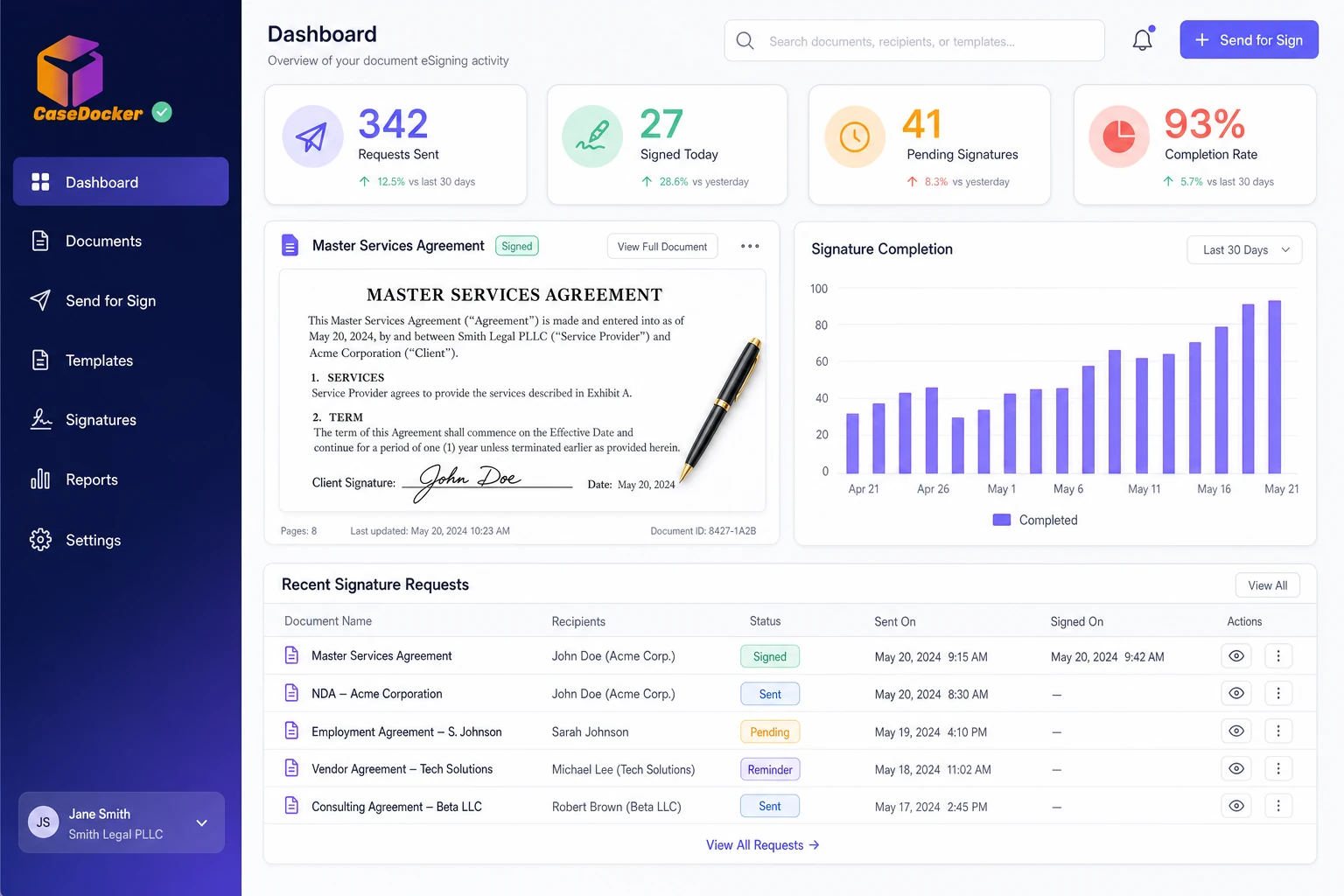
What to check before eSigning documents
For legal, procurement, finance, HR, and business teams, eSigning works best when it is part of a controlled document workflow with clear ownership and status visibility.
- Document approval is complete before sending for signature.
- Signer names, emails, roles, and signing sequence are clear.
- The system tracks sent, viewed, signed, declined, and completed status.
- Signed documents are stored against the right contract, matter, or workflow.
- Audit trails and completion records are available.
- Access controls protect sensitive signed documents.
- The signing flow fits the document type and business requirement.
How CaseDocker supports eSigning workflows
CaseDocker Document eSigner helps teams manage signing as part of document, contract, case, and approval workflows rather than as a disconnected final step.
Platform capabilitiesStep 1 of 4
Capability
Workflow-connected signing
Send documents for signature after the right review and approval steps, with status tied to the underlying record.
Contact
Connect with our Team
Reach out and learn more about our offerings and how CaseDocker can help you
Built for legal operations teams
Share your use case and we will connect you with the right team for product guidance, pricing, and rollout planning.
Clear next steps
Expect a response from our team with the most relevant next step for your inquiry.
Get in Touch
Get in Touch
We usually reply quickly
Where online eSigning helps teams
Teams and workflows that commonly evaluate this type of software.
Internal approvals and authorizations
Legal notices and acknowledgements
HR and vendor documents
Matter or compliance-related documents
Why teams move beyond manual tracking
| Manual approach | What the right system should provide |
|---|---|
| Print, sign, scan, and email | Online signature workflow with status visibility |
| Signed files saved manually | Signed documents linked to the right record |
| Manual signer follow-up | Signer status tracking and reminders |
| No clear completion trail | Audit-ready signing activity history |
FAQ
Frequently asked questions
It means sending and signing documents electronically through a digital workflow instead of relying on print, scan, and physical exchange.
Review your eSigning workflow
Tell us which documents you send for signature and where tracking is difficult. We can show how CaseDocker handles the signing flow.